Session Data
Every session HH Timing records or imports is stored in the project. The Session Data group of the Data ribbon page manages these sessions.

Manage
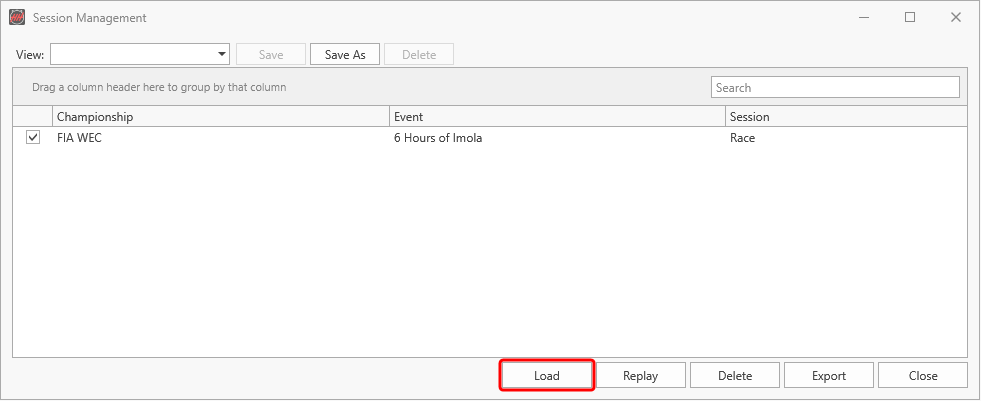
Lists all sessions of the project by championship, event and session. Tick a session, then:
- Load shows the final state of the session in all displays.
- Replay plays the session again as if it were live.
- Delete removes the session from the project.
- Export saves the session to a file.
Local Import
Imports timing data from a file, for example an .hhreplay file or post-session timing data from the timekeeper. The data is read with the active connection profile.
Remote Import
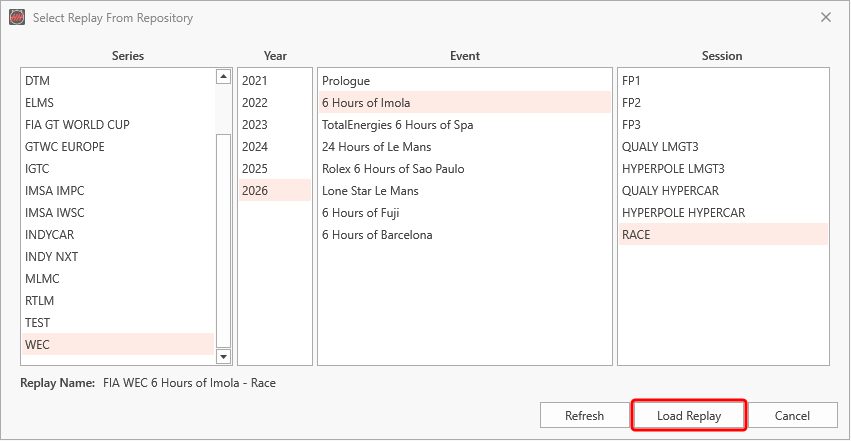
Imports a recorded session from the HH replay repository. Select the series, year, event and session and click Load Replay. The replay is downloaded once, then imported with the active connection profile, which must use the protocol the replay was recorded with.