Entity Configuration
An entity profile holds the names and appearance of the cars, drivers, categories, driver categories, car manufacturers, teams and tyre specifications: display names, categories, colours and line styles used in all displays. Open it with Entity in the Configuration group of the Components ribbon page, or by clicking the entity profile name in the status bar.
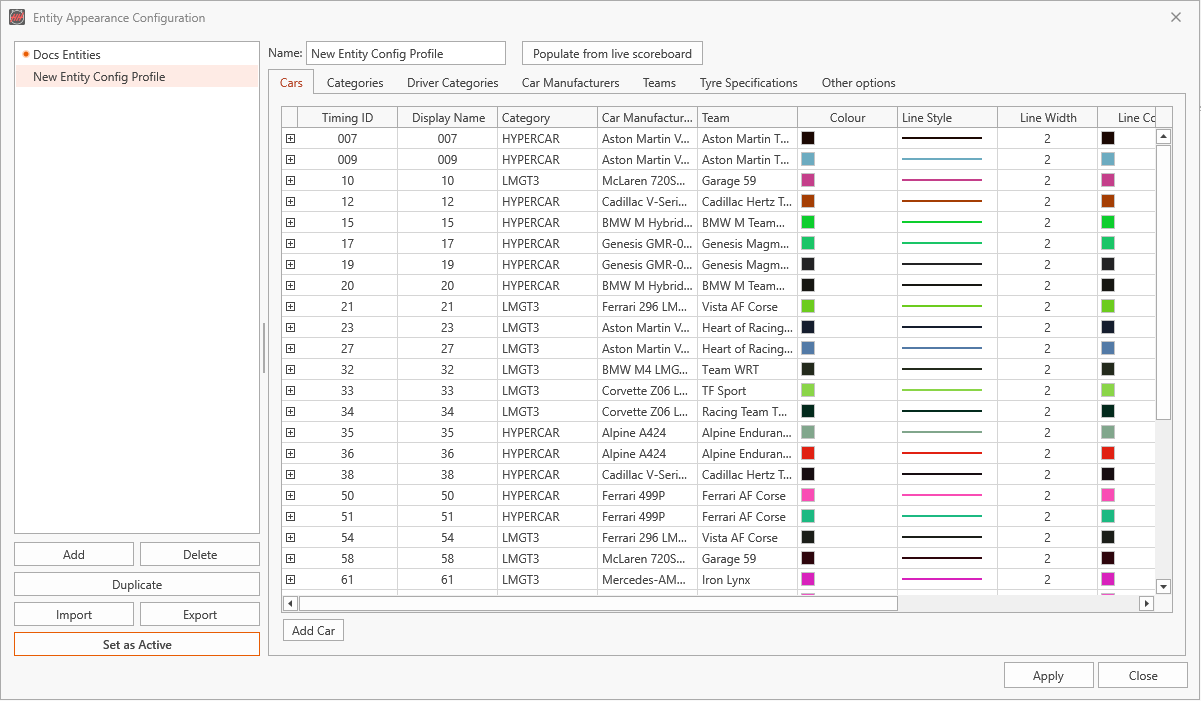
HH Timing V2 shows the cars with the active entity profile. The first profile you create becomes active straight away. To switch to another profile, select it and click Apply and Activate or Set as Active.
- Add creates a profile. Populate from live scoreboard fills it with every car of the loaded session, with its category, manufacturer, team and a colour.
- The tabs hold the settings per Cars, Categories, Driver Categories, Car Manufacturers, Teams and Tyre Specifications, plus Other options.
- Add Car, Remove Car, Copy Car and Add Driver edit the car list.
- Duplicate, Import and Export copy profiles; Apply saves the changes.
See Profiles for how profiles, the active profile and the status bar work.
Switching profile with the championship
In the Other options tab, the Championships box lists the championships the profile applies to, separated by commas. When the championship of the session changes, HH Timing V2 makes the first profile that lists it active.
Leave the box empty for a profile you only want to activate yourself.