Spreadsheet
The spreadsheet export allows data to be exported to either Microsoft Excel (Desktop version) or Google Sheets. Once connected to the target spreadsheet the export configuration is identical.
Open it with Spreadsheet Export on the Data ribbon page. Each export is a profile in the Profiles list; Add creates one, and Save, Duplicate, Import and Export manage them.
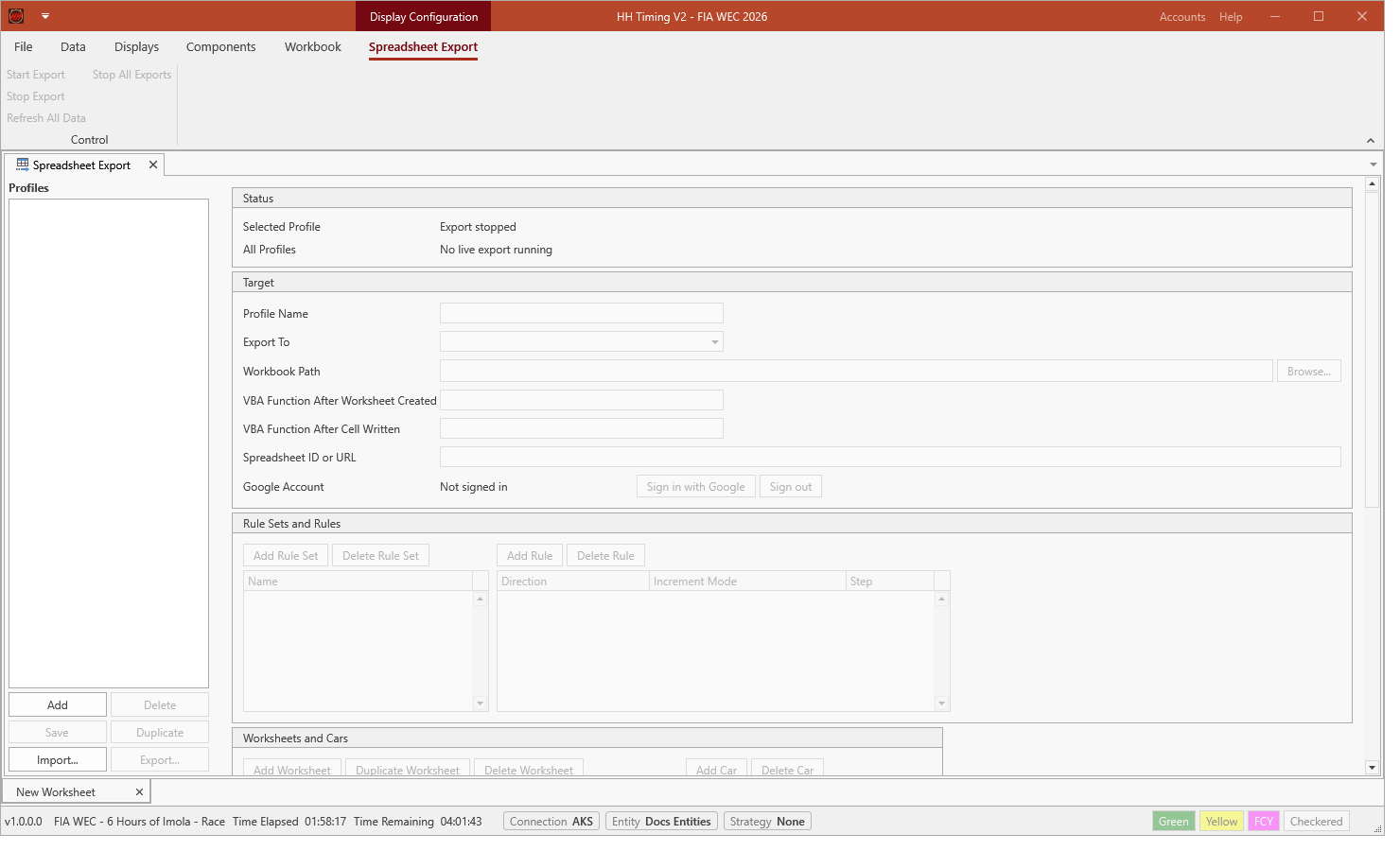
Start Export and Stop Export run the export of the selected profile; Stop All Exports stops every running export and Refresh All Data writes all data again. Status shows whether the selected profile and any other profile are exporting.
Microsoft Excel
Choose Excel in Export To and the workbook in Workbook Path. VBA Function After Worksheet Created and VBA Function After Cell Written name macros of the workbook that are run after HH Timing creates a worksheet or writes a cell.
Google Sheets
Choose Google Sheets in Export To, sign in with Sign in with Google and enter the Spreadsheet ID or URL.
Export configuration
Rule Sets and Rules define which values are written and in which direction and steps the export moves through the cells. Worksheets and Cars define the worksheets of the spreadsheet and the cars written to each of them.