Main Scoreboard
The Main Scoreboard shows one row per car, ranked by position: position in class (PIC), car number, driver, team, class, last and best lap, laps, gap to the class leader and the last sector times. Personal and overall best times are coloured.
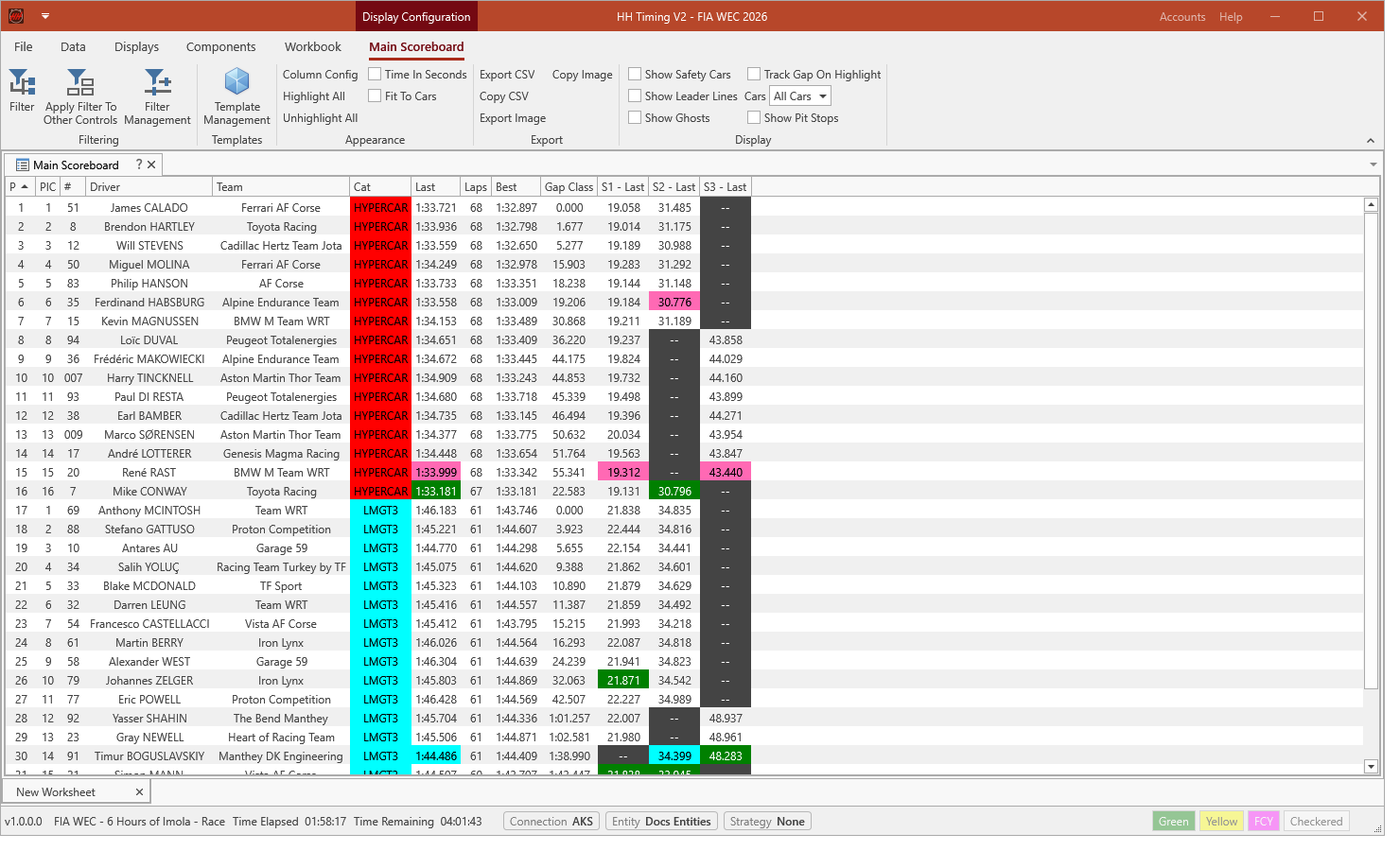
The Display ribbon group adds information to the scoreboard: Show Safety Cars, Show Leader Lines, Show Ghosts, Track Gap On Highlight and Show Pit Stops. Cars limits the scoreboard to a selection of cars.
See Scoreboards for the options all scoreboards share.
Pit Stops
The pit stop summary columns are hidden by default and are shown through Column Config. # Pit, Last Pit Lap, Last Pit Time and Time In Pits describe the last stop. Total Pit Time and Avg Pit Time add up every stop of the car, and Total In Lap Time and Total Out Lap Time add up the in-laps and out-laps of the stops made under green.
Show Pit Stops in the Display ribbon group adds the Info column and one column per stop (Stop #1, Stop #2...) after the sector columns, and shows the Pit Stops ribbon group. A new stop column is added as soon as a car makes one stop more than all the others. These columns only exist while Show Pit Stops is ticked: unticking it removes them from the scoreboard and from Column Config, and hides the Pit Stops ribbon group. While it is ticked, they can be moved or hidden in Column Config like any other column, and their position is saved with the layout.
Each stop cell stacks the values chosen in the Pit Stops ribbon group, in this order: Show Lap Number, Show Stop Time, Show OutLapTime, Show InLap Time, Show Pit In Time (session time), Show Driver In and Show Driver Out. The Info column lists the stacked values in the same order, as a legend for the rows.
Correct for pit lane time subtracts the pit lane time of the active strategy profile from every stop time, and also from Total Pit Time and Avg Pit Time. Use reverse order puts the last stop in the first column. [] for S/C or FCY puts the times of a stop between brackets when the track was not green at pit entry.
The Pit Stop Scoreboard default template opens a Main Scoreboard with the layout of the V1 Pit Stop Scoreboard. See Replicate the V1 Pit Stop Scoreboard.