Asian le mans series
Live Data Connection
In Asian Le Mans Series, Alkamel is the timing provider.
V2 Protocol
Prior to get access to the timing data, make sure that you have contacted Alkamel:
- There is a fee that is usually a per championship fee.
- You would need to get Alkamel to enable V2 protocol for your team.
- They should provide you with credentials.
- They should provide you a router and a WIFI antenna.
- They should also provide you with a Network configuration.
| Protocol | Al Kamel V2 |
| Host | alms.datapublisher.alkamelcloud.com |
| Port | 11001 |
| Username | Provided by Alkamel |
| Password | Provided by Alkamel |
You will need an internet connection to use the feed.
Track Limits Warning
Track Limits Warning are sent in the feed in Asian Le Mans Series. It will be displayed in the main scoreboard, the car scoreboard, the driver scoreboard and the Track Limit Warning display. You can find specific help file here.
Troubleshooting
If you can't connect, it may come from a network problem, from wrong credentials or because you reached the maximum number of connections.
Network problem
To check that your network configuration is correct:
- Open a command prompt and type "
- If you get a response like :Reply from 192.168.74.12: bytes=32 time=3ms TTL=64, your network configuration is correct and you should contact Alkamel to see if they activated the feed for your team.
- Otherwise type "
- If you get a response like :Reply from 192.168.74.12: bytes=32 time=3ms TTL=64, you have a DNS issue. Please check your setup with your IT department.
- Otherwise, please check your network setup with your IT department.
Wrong credentials (V2 Protocol)
Please ask Alkamel to confirm that you are using the right credentials to connect to the feed.
Number of connections
Alkamel limits the number of connection to their feed to 1 by car.
On each track, there are more timing loops that you can use to create custom sectors.
For example at Sepang, there are 7 loops, FL, SCL2, IP1, IP2, PL1 and SCL1. You can create a sector from FL to SCL2 for example by adding it to the additional options of the championship configuration before connecting:

You can choose the name you want but the value should always be: Loop1;Loop2
You can only define additional sectors on a computer directly connected to Alkamel V2 Protocol (server). Client computers connected via the server mode will receive automatically the same sectors than the server.
Micro-Sectors
Micro-Sectors are available in Asian Le Mans Series using Alkamel v2 feed.
AsLMS List of Micro-Sectors Per Track
List of loops per track
Abu Dhabi: FL, SCL2, IP1, VMAX2, IP2, SCL1
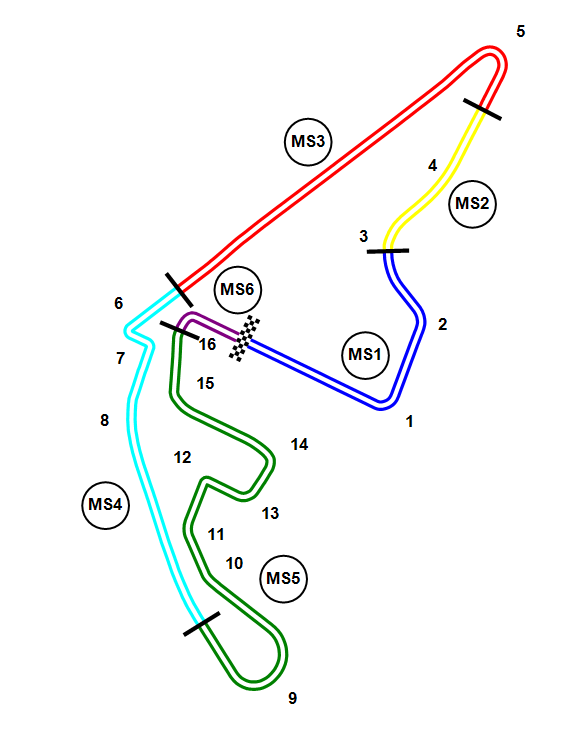
Dubai: FL, SCL2, IP1, VMAX2, IP2, SCL1

Sepang: FL, SCL2, IP1, IP2, PL1, SCL1
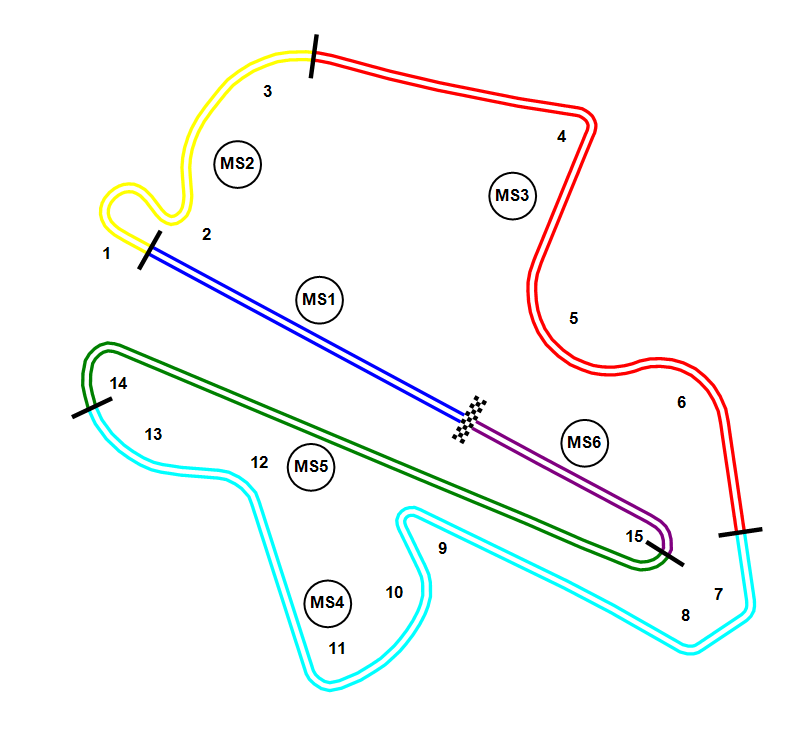
These timing loops can be used to create custom sectors, in the additional options of the championship configuration before connecting. Here is the list of micro-sectors per track for the AsLMS championship:
| Track | Micro-sectors |
|---|---|
| Abu Dhabi | FL,SCL2;SCL2,IP1;IP1,VMAX2;VMAX2,IP2;IP2,SCL1;SCL1,FL |
| Dubai | FL,SCL2;SCL2,IP1;IP1,VMAX2;VMAX2,IP2;IP2,SCL1;SCL1,FL |
| Sepang | FL,SCL2;SCL2,IP1;IP1,IP2;IP2,PL1;PL1,SCL1;SCL1,FL |
You can only define additional sectors on a computer directly connected to Alkamel V2 Protocol (server). Client computers connected via the server mode will receive automatically the same sectors than the server.
Qualifying
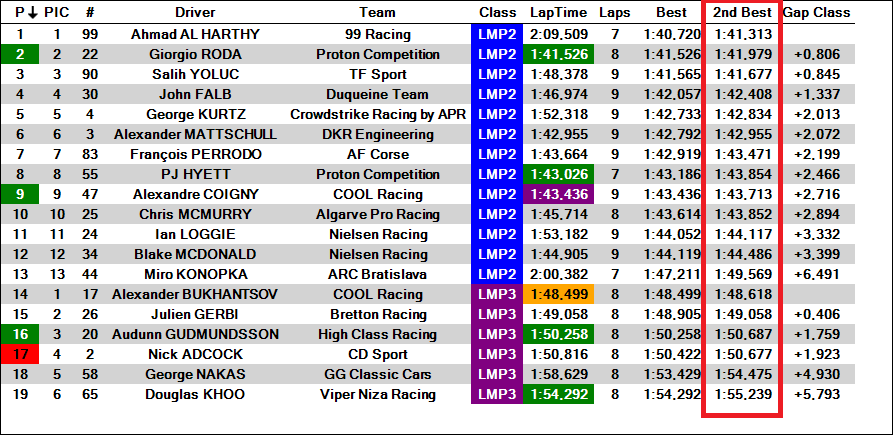
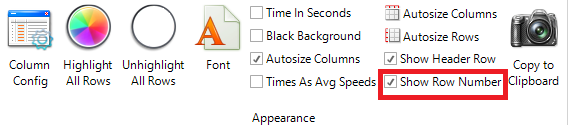
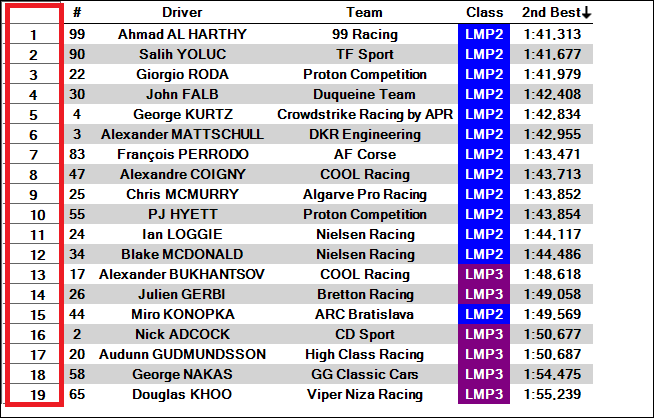
Adding the 2nd Best column during qualifying helps determine the starting grid for the second race. Creating a second scoreboard with this column and activating the 'Show Row Number' option completes the setup.
Post Session CSVs Data Import 2022
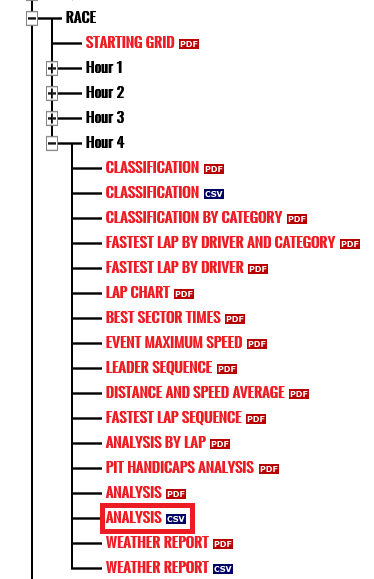
Download the Analysis CSV from http://alms.alkamelsystems.com/
In HH Timing, choose WEC/ELMS Alkamel as file format in "Import T&S Data" and select the CSV file.
Post Session CSVs Data Import before 2022
Until 2021, TimeService was the timing provider for Asian Le Mans Series. Find here our help file regarding T&S Import with TimeService csv.
Track Maps
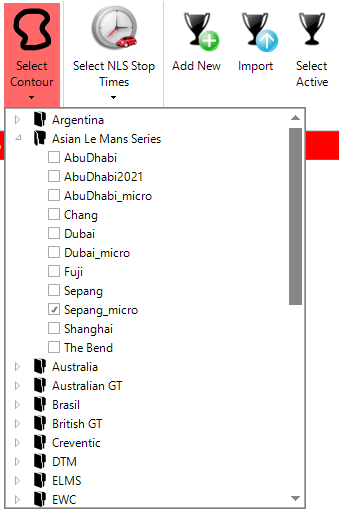
The track maps for each events needs to be selected in the Asian Le Mans Series Folder: