Supercars
Championship configuration
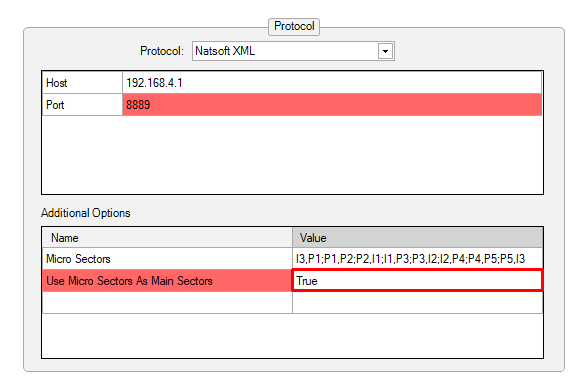
| Protocol | Natsoft XML |
| Host | 192.168.4.1 |
| Port | 8889 |

The user can decide to use the Micro Sectors as main sectors instead of the regular S1/S2/S3. To do switch the option in the additional options to True
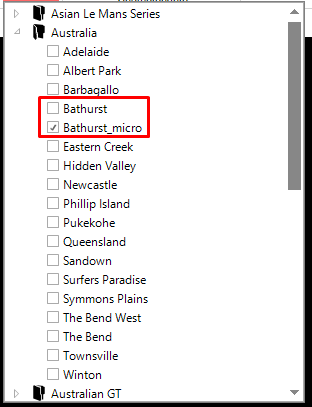
In addition, the user would need to select the correct map contour:
Time certain
Supercars races are distance races with a time certain: if the distance is not completed when the time certain is reached, the leader completes the lap in progress plus one more lap.
The time certain is read from the timing feed (scheduled end of the race) and the following session settings are set automatically at the start of a distance race:
| Race Length Mode | Distance |
| Use time of day for timed session / time certain | True |
| Race finish time of day | Time certain sent in the feed |
The Extra lap after time certain option needs to stay at True (default value).
Tyre compound
The colours for the tyre compound can now be controlled within the software. This can be found under the Strategy Overview option in the backstage under Tyre Specification Colours:

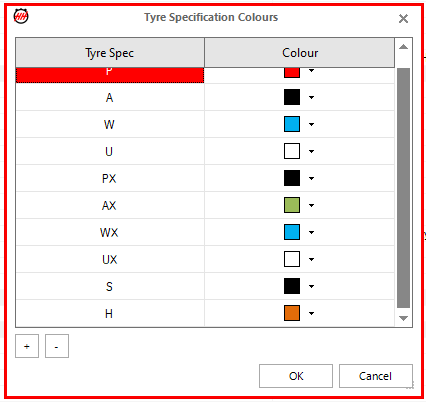
By default, the colours follow the Supercars convention (Soft "S" = BLACK and HARD "H" = ORANGE).
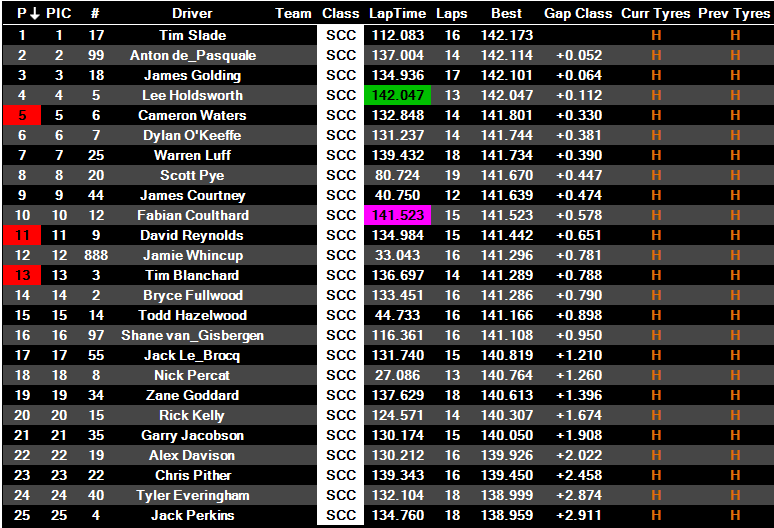
The current tyre compound can be shown on the Main Scoreboard using the Curr Tyres (Tyres on the car) and Prev Tyres (Tyres on the car during the last stint) column:
The same information can be found in the stint scoreboard of the car scoreboard:

In addition, the compound information can be displayed in the strategy overview:
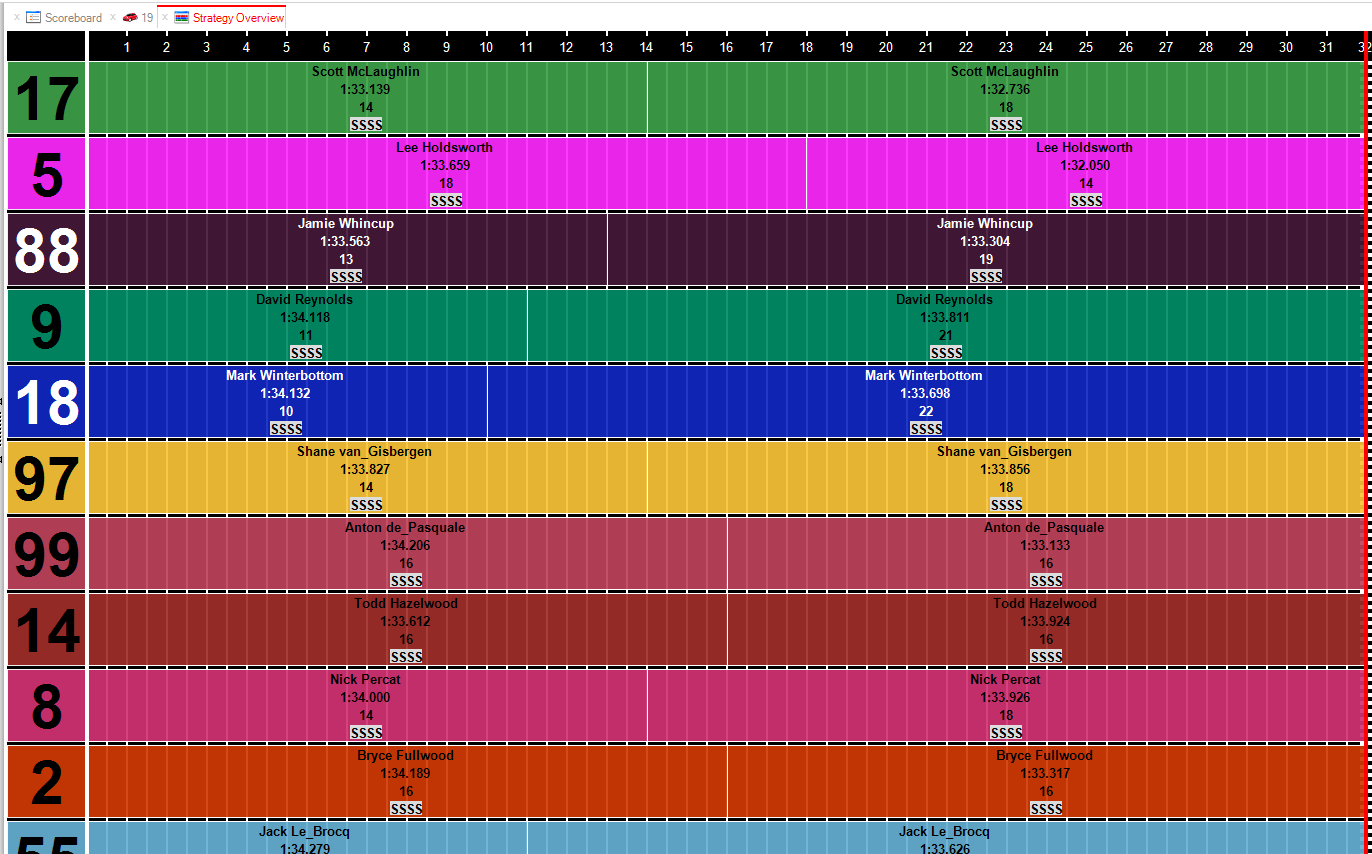
To configure the line you see on the strategy overview, You need to go to Select Parameters:
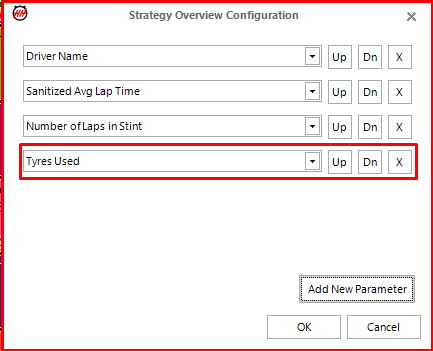
You can display them by compound colour by selecting the option:

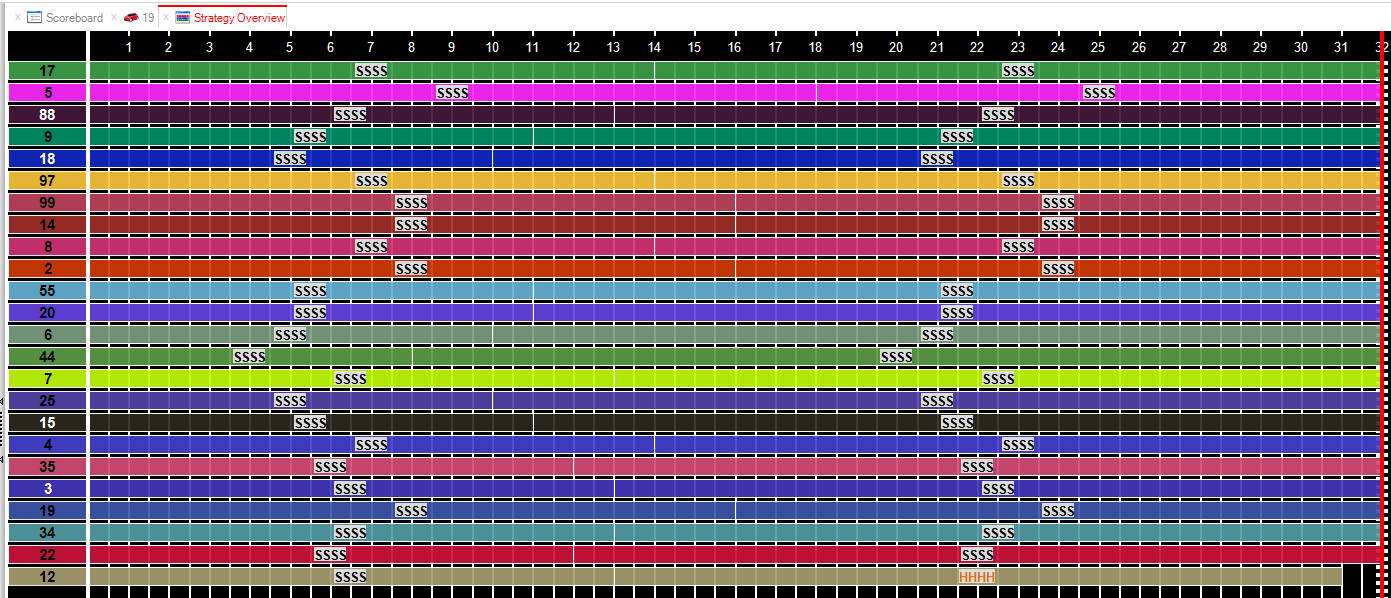
By selecting only the Tyre Used, you can easily see the entire field:
List of Micro-sectors per track
The list of micro-sectors needs to be changed per track. The list from the table below needs to be copied into the cell in the championship configuration.
| Track | Micro-sectors |
|---|---|
| Adelaide | I3,P1;P1,P2;P2,I1;I1,P3;P3,I2;I2,P4;P4,I3 |
| Albert Park | I3,P1;P1,P2;P2,P3;P3,I1;I1,P4;P4,I2;I2,P5;P5,P6;P6,I3 |
| Bathurst | I3,P1;P1,P2;P2,I1;I1,P3;P3,I2;I2,P4;P4,P5;P5,I3 |
| Darwin | I3,P1;P1,P2;P2,I1;I1,P3;P3,P4;P4,I2;I2,P5;P5,P6;P6,I3 |
| Gold Coast | I3,P1;P1,P2;P2,I1;I1,P3;P3,P4;P4,I2;I2,P5;P5,I3 |
| Ipswich | I3,P2;P2,I1;I1,P3;P3,I2;I2,I3 |
| Newcastle | I3,P1;P1,P2;P2,I1;I1,P3;P3,P4;P4,I2;I2,P5;P5,P6;P6,I3 |
| Perth | I3,P1;P1,P2;P2,P3;P3,I1;I1,P4;P4,I2;I2,P5;P5,I3 |
| Phillip Island | I3,P1;P1,P2;P2,I1;I1,P3;P3,I2;I2,P4;P4,I3 |
| Pukekohe | I3,P1;P1,P2;P2,I1;I1,P3;P3,P4;P4,P5;P5,I2;I2,P6;P6,I3 |
| Ruapuna | I3,P1;P1,P2;P2,P3;P3,I1;I1,P4;P4,I2;I2,P5;P5,P6;P6,I3 |
| Sandown | I3,P1;P1,I1;I1,P2;P2,I2;I2,P3;P3,I3 |
| Sydney | I3,P1;P1,P2;P2,I1;I1,P3;P3,P4;P4,I2;I2,P5;P5,P6;P6,I3 |
| Symmons Plains | I3,P1;P1,P2;P2,I1;I1,P3;P3,I2;I2,P4;P4,I3 |
| Tailem Bend | I3,P1;P1,P2;P2,P3;P3,I1;I1,P4;P4,I2;I2,P5;P5,P6;P6,I3 |
| Tailem Bend WEST | I3,P1;P1,P2;P2,I1;I1,I2;I2,P3;P3,I3 |
| Taupo | I3,P1;P1,P2;P2,I1;I1,I2;I2,P3;P3,P4;P4,I3 |
| Townsville | I3,P1;P1,P2;P2,I1;I1,P3;P3,P4;P4,P5;P5,I2;I2,P6;P6,I3 |
| Winton | I3,P1;P1,P2;P2,I1;I1,P3;P3,I2;I2,P4;P4,I3 |
| Queensland | I3,P1;P1,P2;P2,I1;I1,P3;P3,I2;I2,I3 |
Timing settings per track
The timing configuration of the pit lane varies from track-to-track. The following table lists the settings for each track.
| Track | Control Line At Pit Out | Use Control Line As Pit Out | Use Control Line As Pit In |
|---|---|---|---|
| Adelaide | True | True | False |
| Albert Park | True | True | False |
| Bathurst | False | False | False |
| Darwin | True | False | False |
| Gold Coast | False | False | True |
| Ipswich | True | True | False |
| Newcastle | False | False | False |
| Perth | False | False | False |
| Phillip Island | True | False | False |
| Pukekohe | True | False | False |
| Ruapuna | True | False | False |
| Sandown | True | True | False |
| Sydney | False | False | False |
| Symmons Plains | True | True | False |
| Tailem Bend | False | False | False |
| Taupo | False | False | False |
| Townsville | True | True | False |
| Winton | True | False | False |
Track Limits Warning
Track Limits Warning are sent in the feed in Supercars in practice and qualifying sessions only. It will be displayed in the main scoreboard, the car scoreboard, the driver scoreboard and the Track Limit Warning display. You can find specific help file here.
In Supercars, a curb hop or shortcut results in the lap time being deleted during practice and qualifying sessions.